
Content Planner
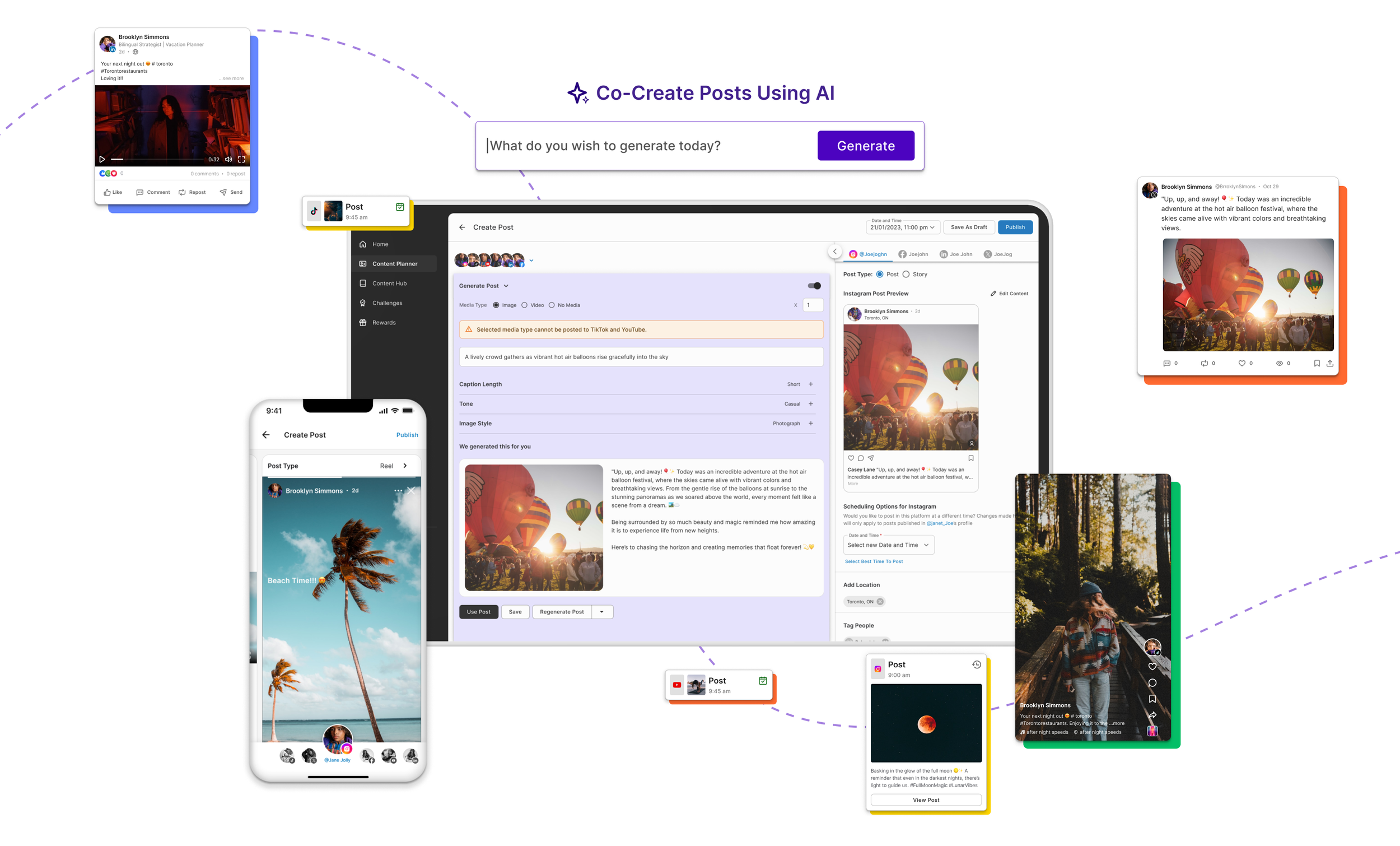
I designed an AI-powered content planner that enables social media content creators to efficiently plan, create, and schedule posts across multiple platforms. Using AI, the tool generates high-quality images, videos, captions, and hashtags based on a simple prompt. Users can further refine and customize the content to match the specific tone and style of each platform. This project allowed me to leverage my expertise in designing AI-driven tools, balancing intelligent support with user control to deliver a powerful and effective solution for content creators.
UI/UX Methodologies
Competitor Analysis, User Interviews, Personas, Low Fidelity Wireframes, Usability Testing, High Fidelity Prototyping and Design Hand-off
Duration
November 2023 - May 2024
Project
Empower 2.0
ProblemHow can users be empowered to create and publish tailored content across multiple social media platforms efficiently?
Features
Before we delve into the design evolution process, here's a quick glimpse of features included in the solution:
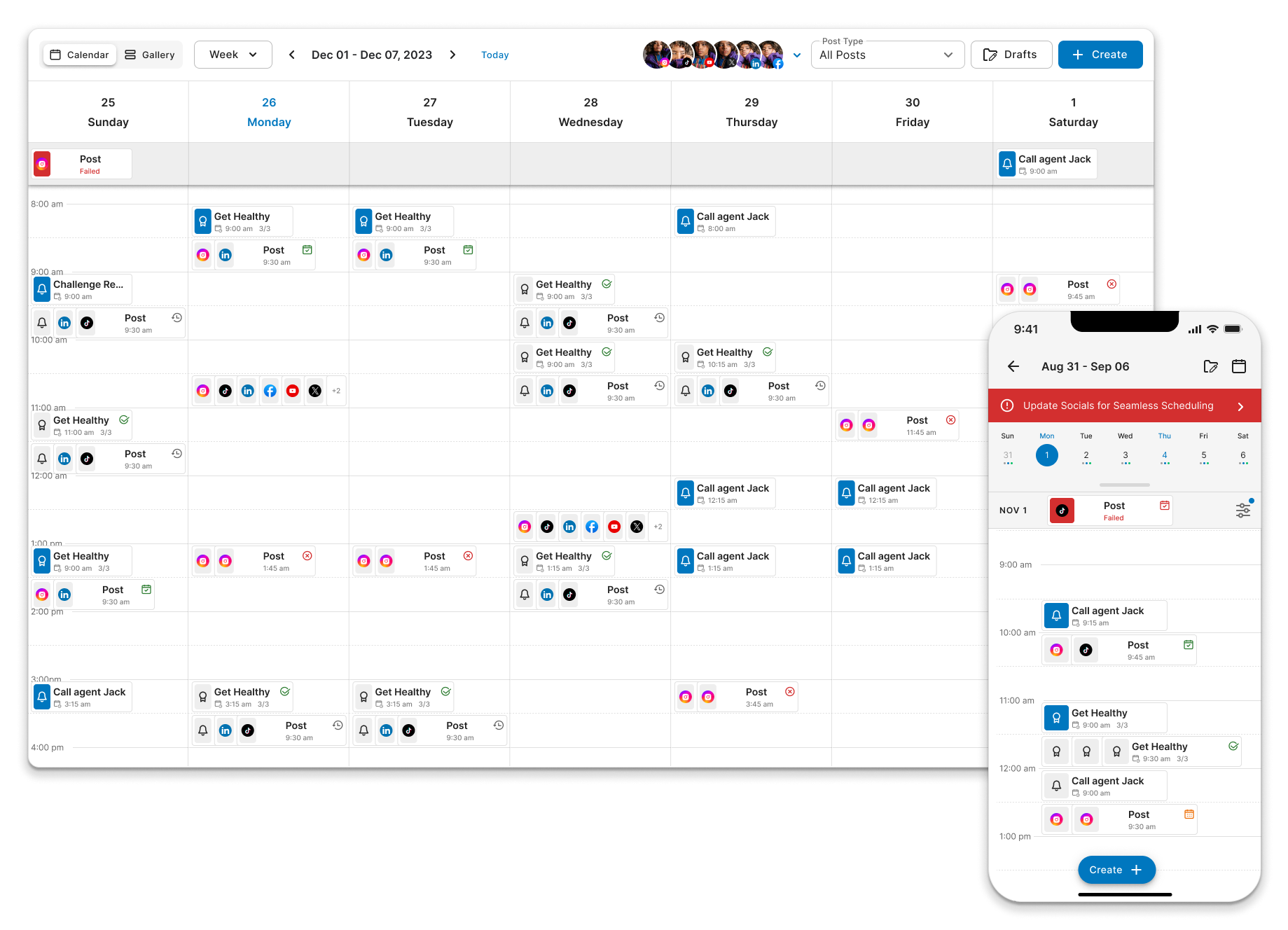
All-in-One Content Calendar
The all-in-one calendar simplifies content planning for creators, offering post-scheduling, content tracking, and reminder setting features.
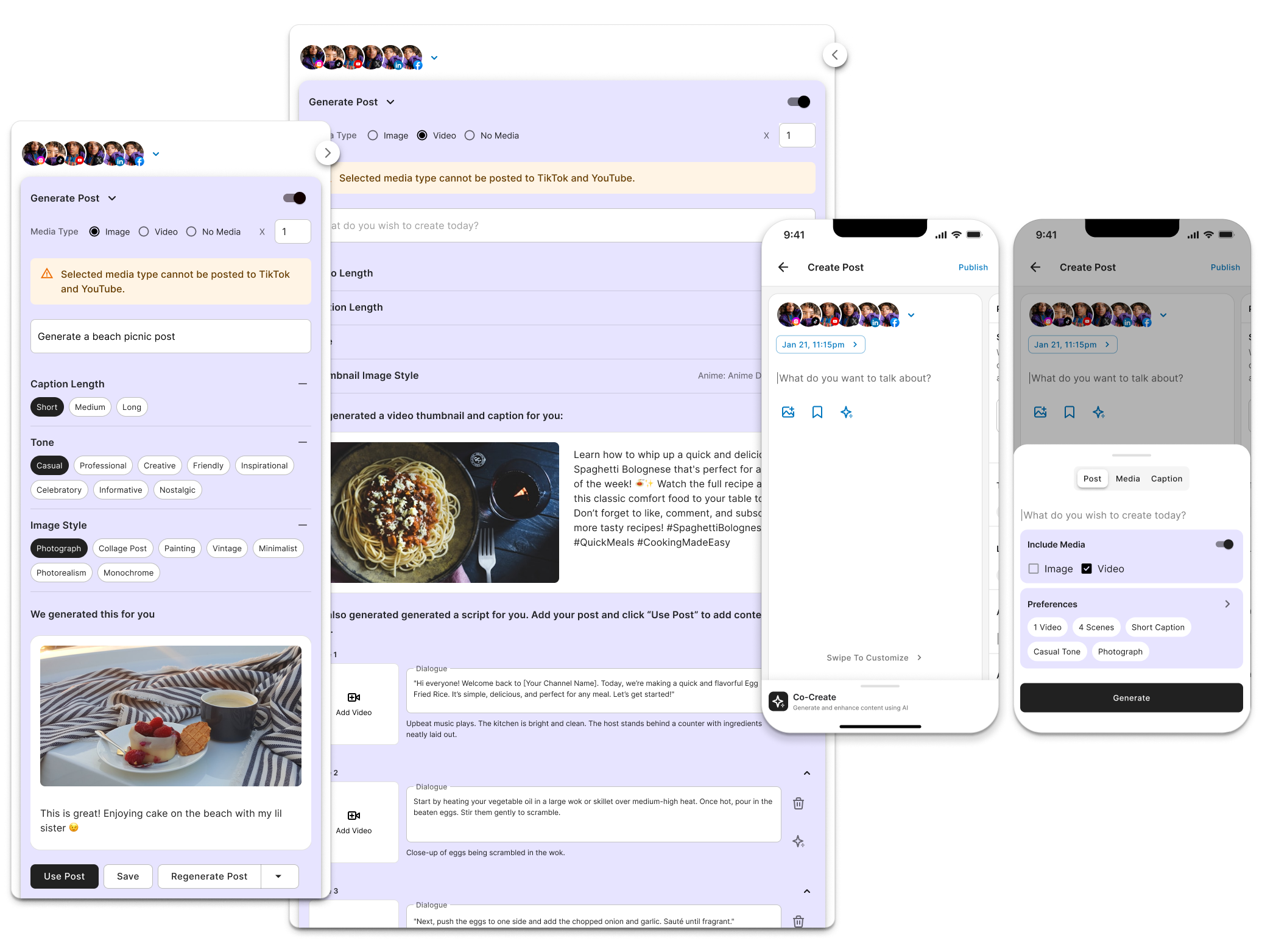
AI-Powered Content Creation
The AI tool effortlessly generates engaging social media content with just a simple prompt. It creates a range of assets, including images, videos, captions, and hashtags, all tailored to the user's style and vision.
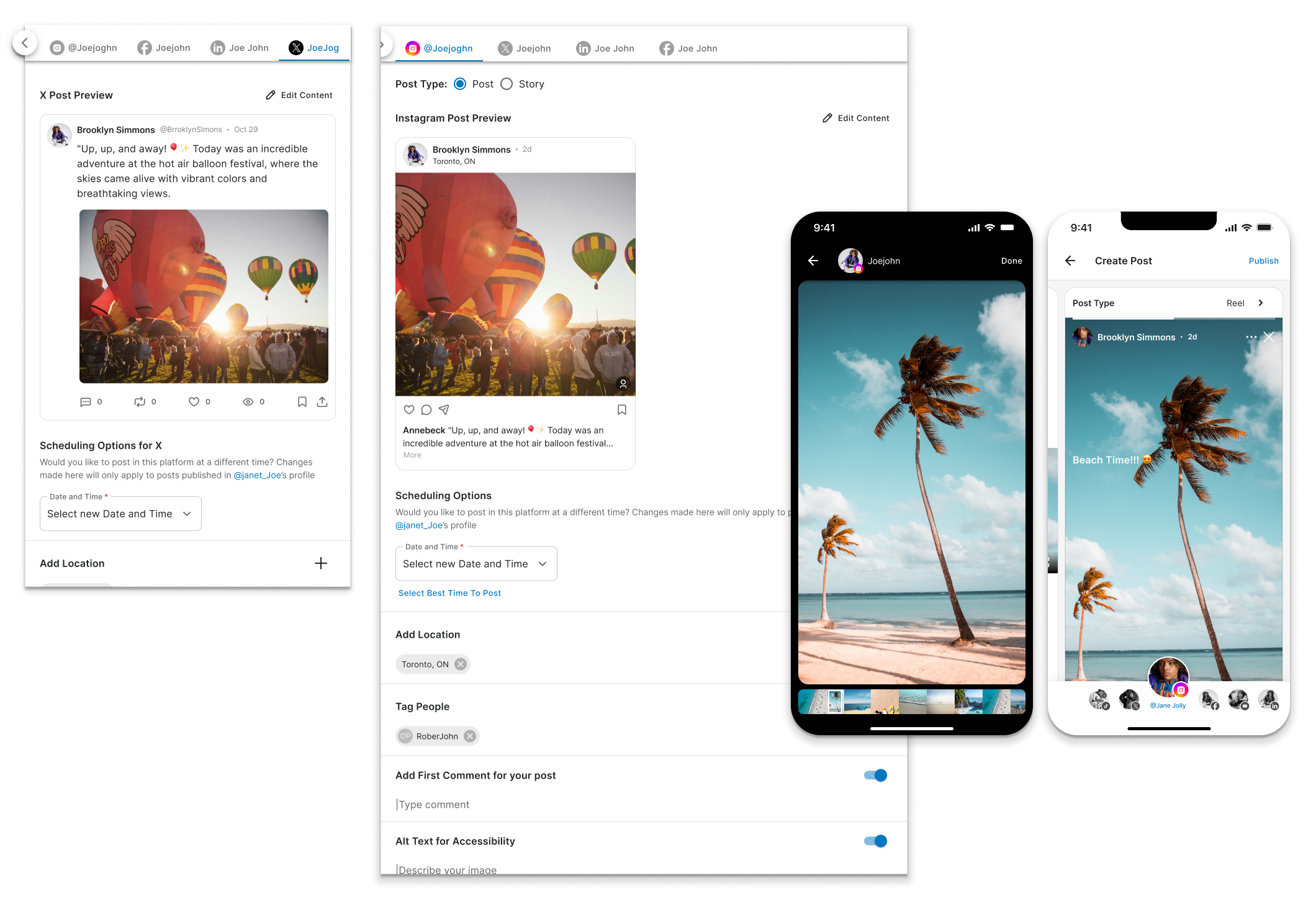
Adapt Content for Platforms
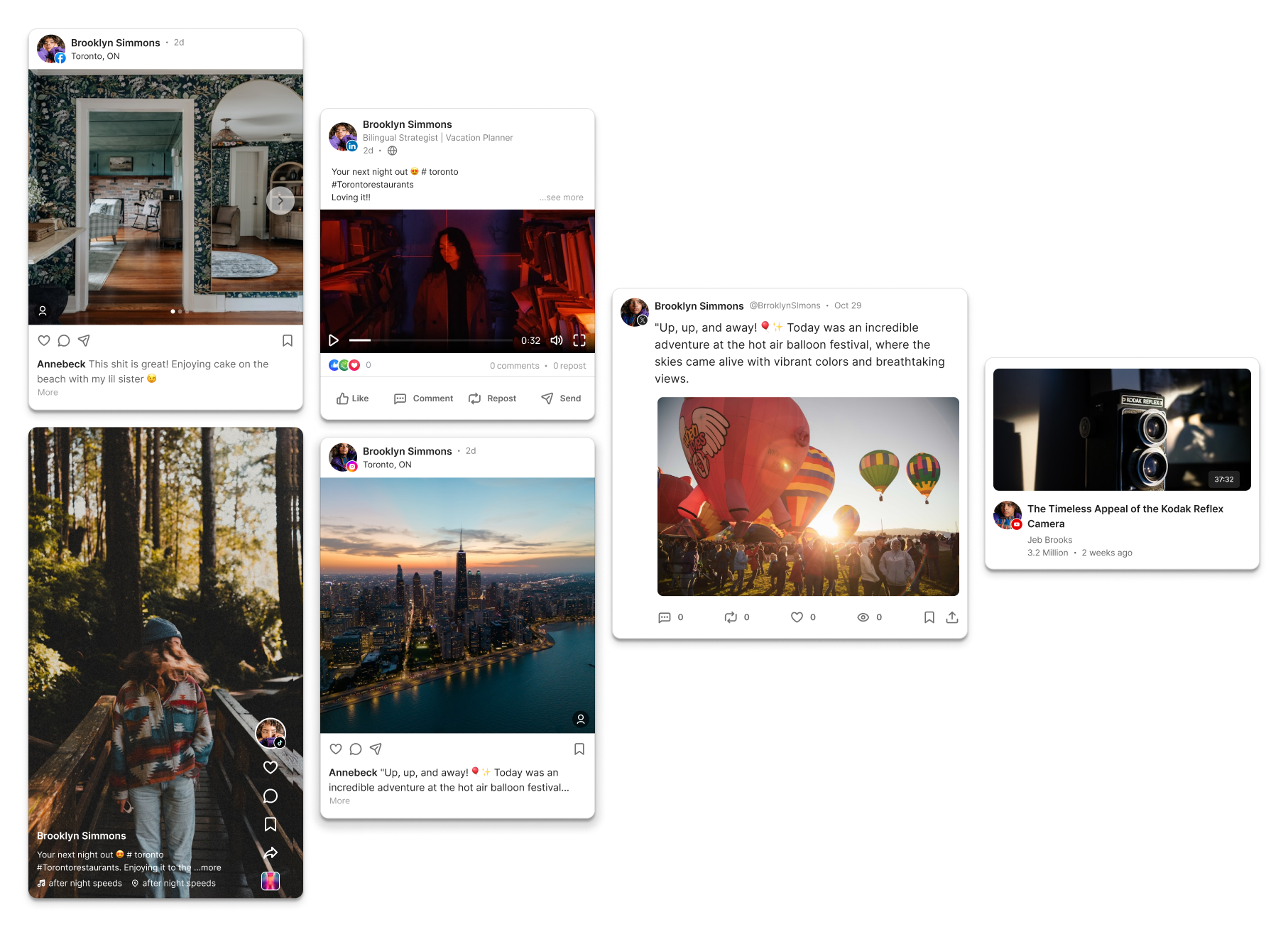
The tool allows users to customize and optimize content for each social media platform, whether it's adjusting image dimensions, video lengths, or tone of voice, to meet the unique needs of platforms like Instagram, X, YouTube, Facebook, TikTok, and LinkedIn.
Preview Posts Across Platforms
Users can preview how the content will appear across different platforms before posting, ensuring it looks perfect on each one.
Design Evolution
01. Understanding the Competitors
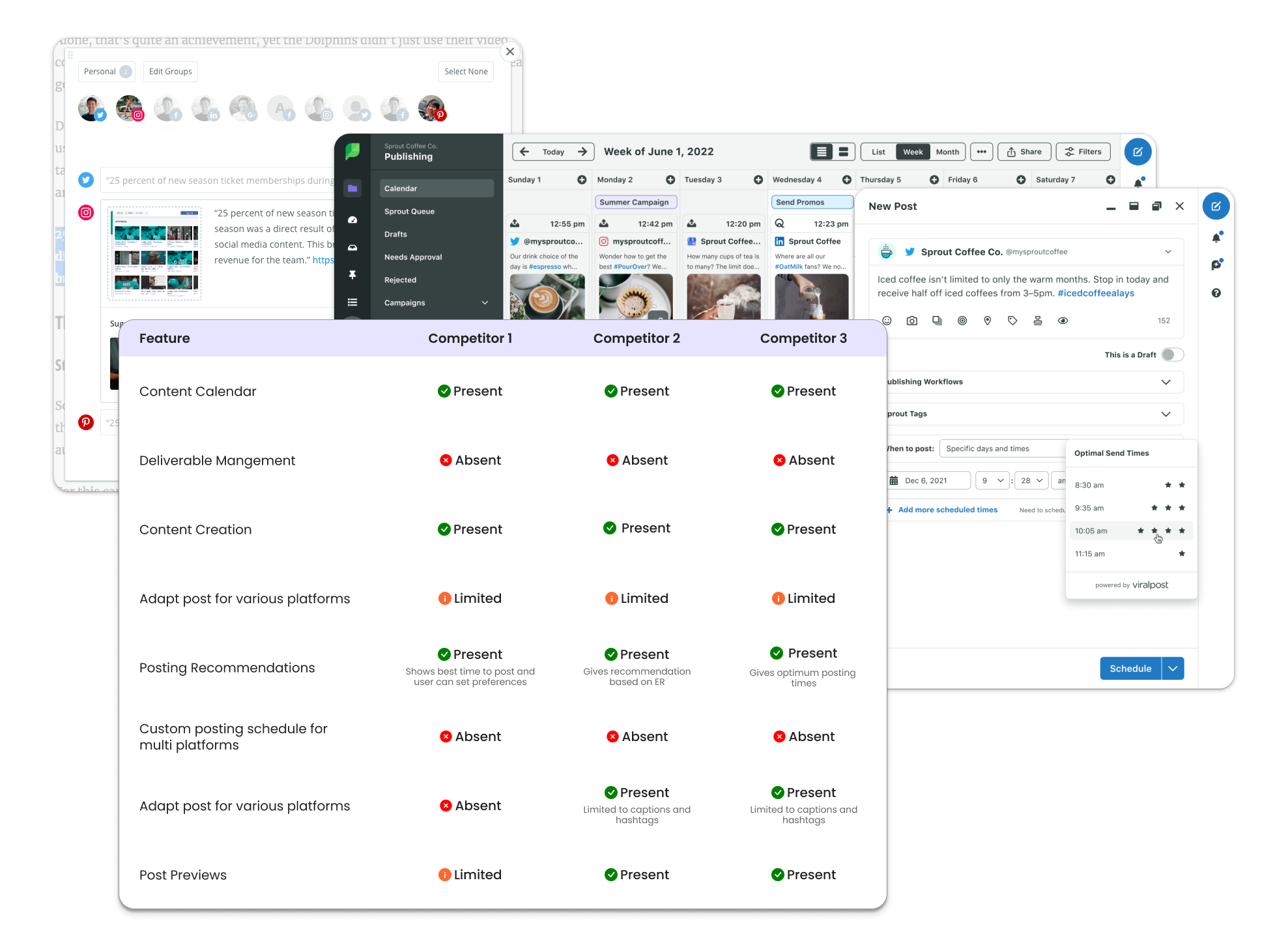
I kicked off the design exploration with an in-depth competitor analysis, diving into user journeys, workflows, and feature comparisons. By examining how competitors approach content creation, I uncovered key insights to enhance our experience, optimize performance, and push the boundaries of what’s possible.
02. Getting to Know the Users
I collaborated with the product manager to conduct multiple user interviews and analyze the results, which helped define our target users, understand their pain points, and ultimately shape the following user persona.

Casey Lane
24 yearsContent CreatorPlatformsFollowersNiche
2M
Lifestyle, Travel and Photography
Pain Points❖ Maintaining a steady online presence requires careful planning.
❖ Casey struggles with creating original content, leading to burnout.
❖ Managing multiple submissions and deadlines can be overwhelming.
❖ Adjusting content formatting for different platforms is time-consuming.
03. Mapping the User Flow
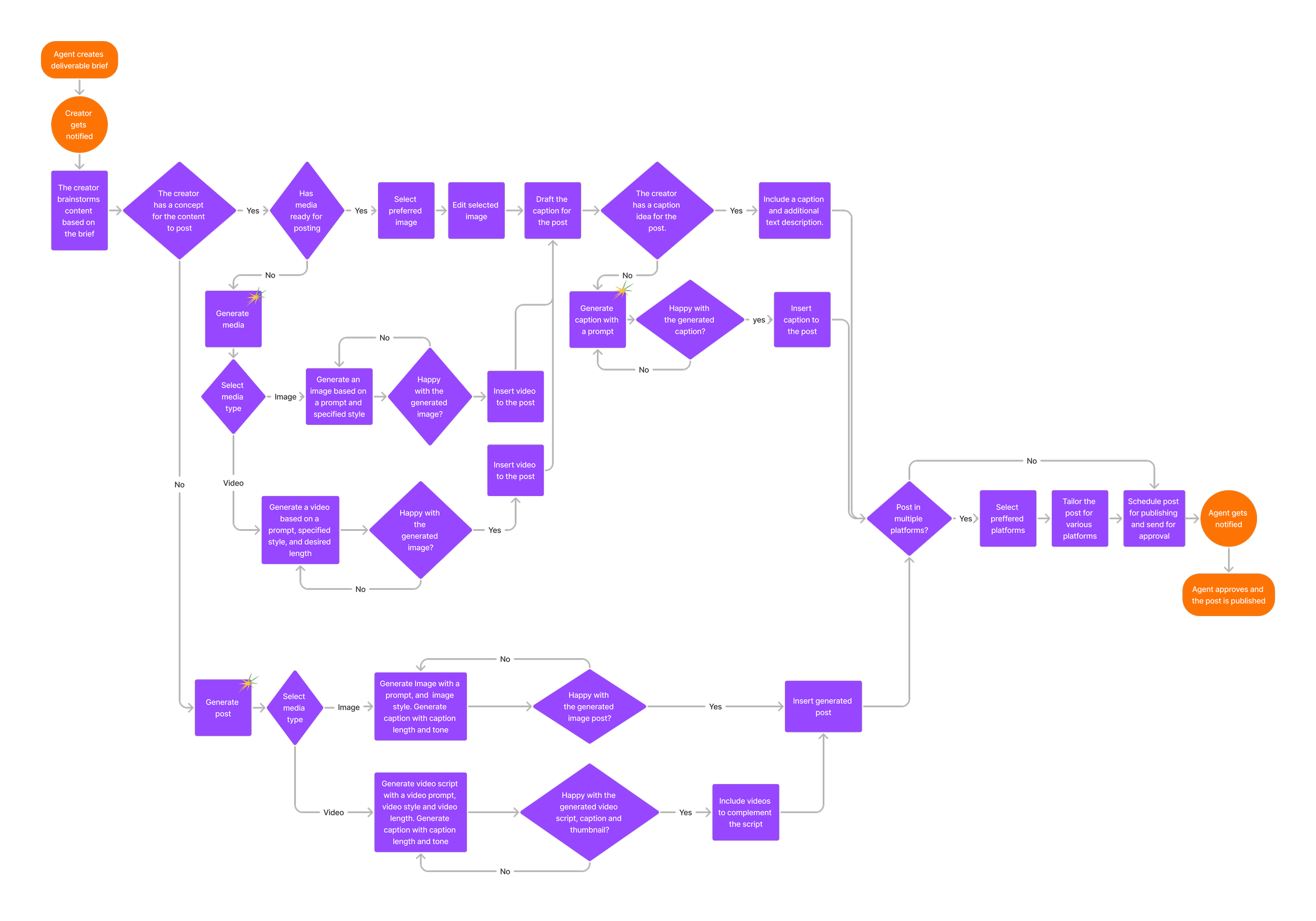
As part of the design ideation process, I created a detailed user flow to align with the product and engineering teams. This flow maps out each step, from AI-generated post creation to scheduling across different platforms.
04. Lo-Fi Wireframes
Here are several of the lo-fi wireframes I created, along with the design iterations that were evaluated for usability and reviewed with the engineering team. Given the project’s significant reliance on multiple APIs, I proactively initiated collaboration with the technical team to ensure feasibility and smooth integration throughout the design process.
I also led the user testing efforts. This included recruiting content creators as participants, preparing testing prompts, and facilitating each session.
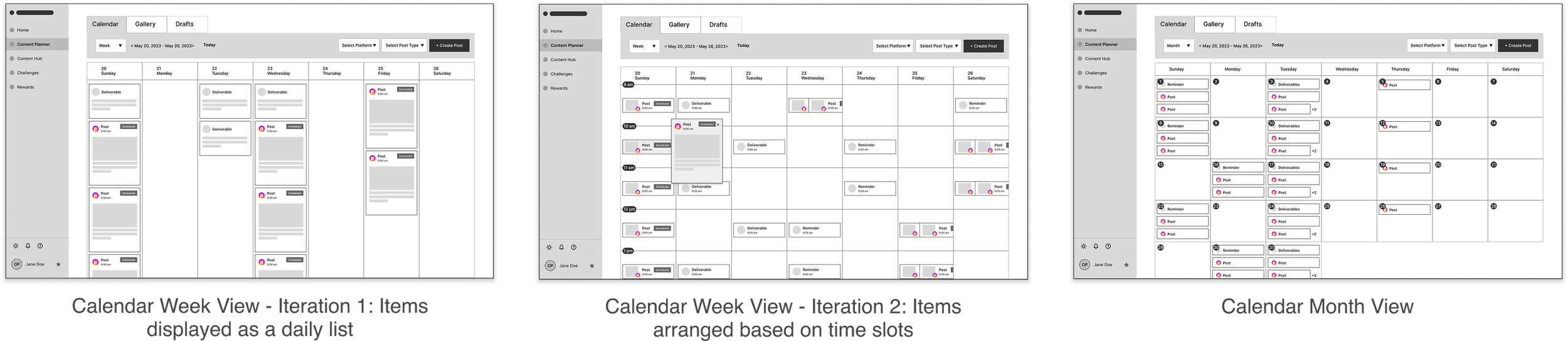
I refined the calendar by replacing the daily list with time slots for clearer scheduling, adding reminder options based on user feedback, and introducing a month view to improve planning and visibility.
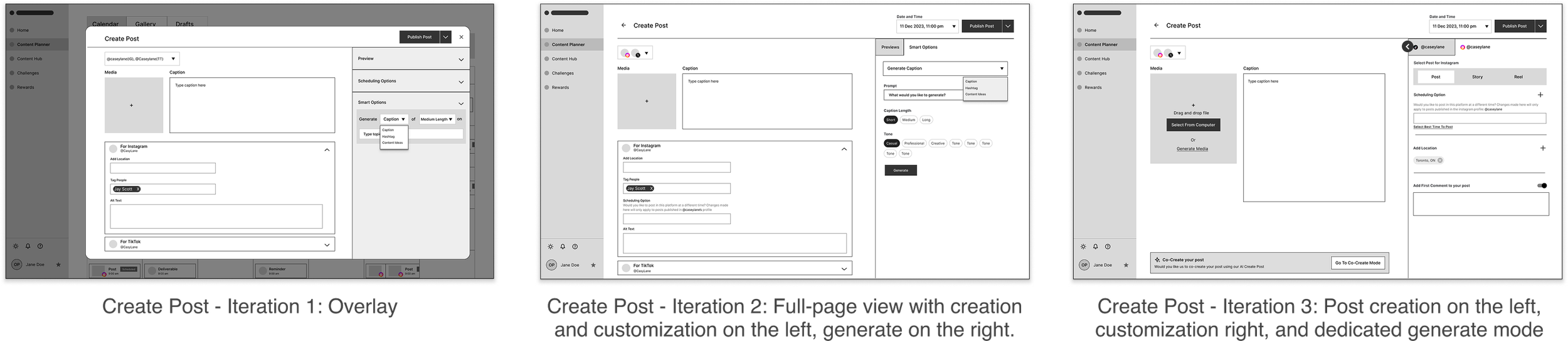
Based on stakeholder feedback, I transformed the content creation flow from a step-by-step process into a mode-based system, providing users with greater flexibility in creating content.
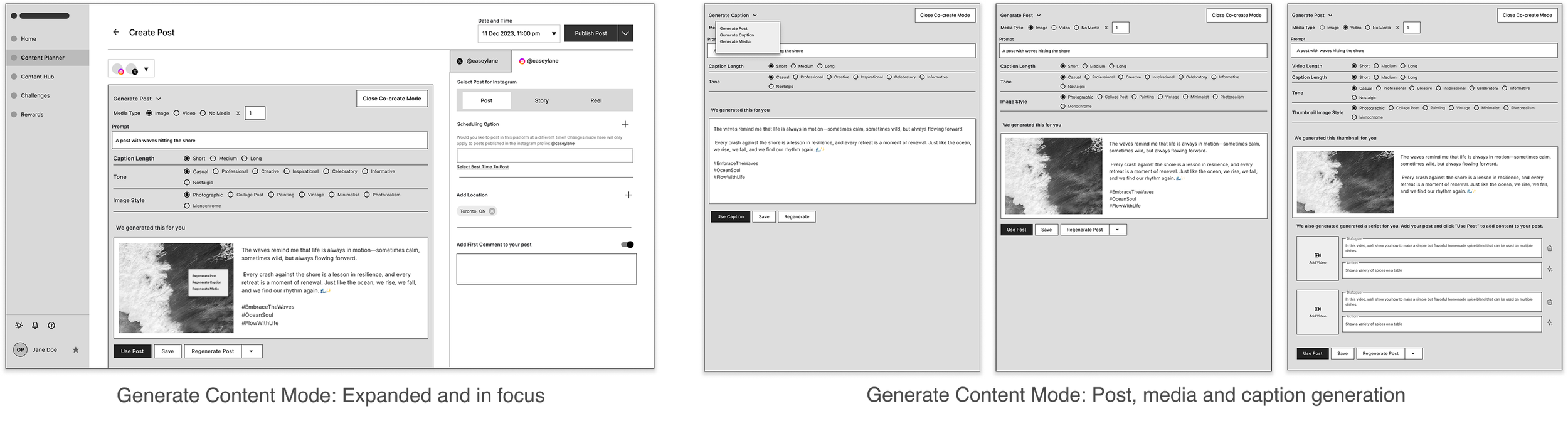
The Co-Create mode was refined to leverage LLM capabilities, accommodate the underlying technology, and ensure alignment with technical feasibility.
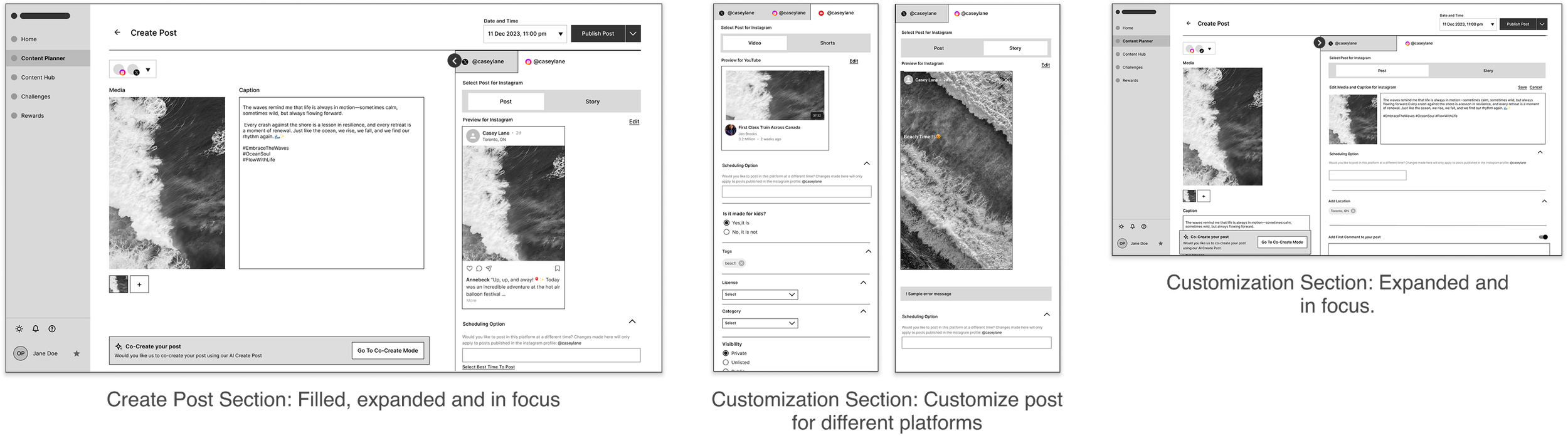
Recognizing the need for multi-platform customization, I redesigned the experience to streamline the process.
05. Design Iterations
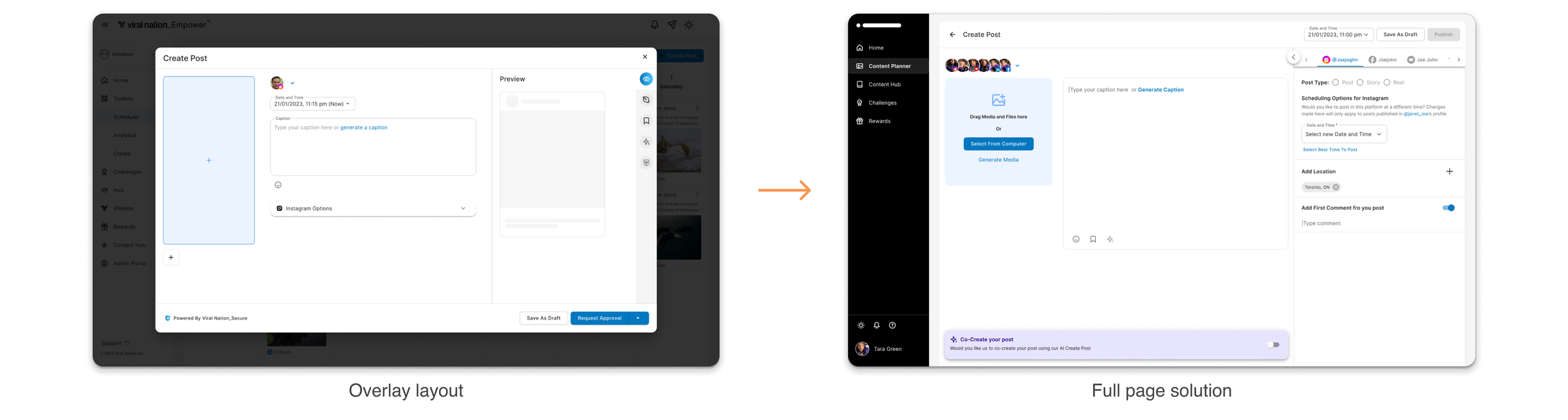
Evolved the design from an overlay to a full-page layout, aligning with best practices and establishing a scalable, future-ready foundation for ongoing enhancements.
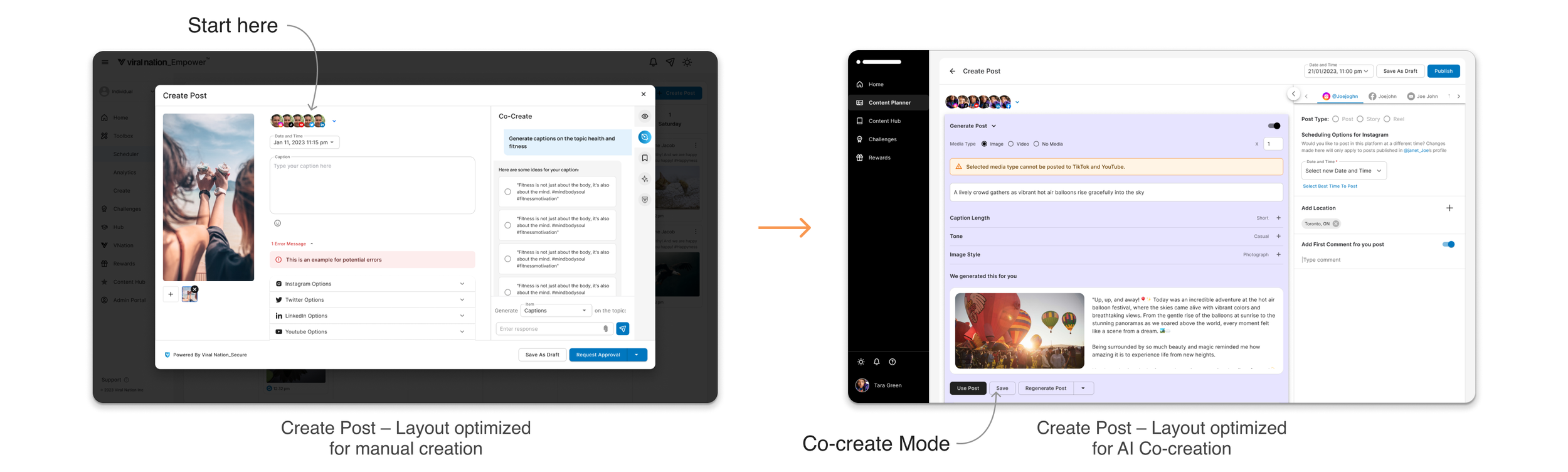
Initially limited to image upload followed by AI-generated captions, the experience was redesigned into a flexible, multi-entry workflow. Users can now upload media, generate posts, media, or captions through an AI co-create mode, or move fluidly between both paths, giving creators more control and flexibility. Designing it gave me firsthand insight into how system prompts shape the user experience — from setting guardrails to defining how much control users have when regenerating outputs. It really showed me how design guides AI behaviour and helps establish human–AI collaboration.
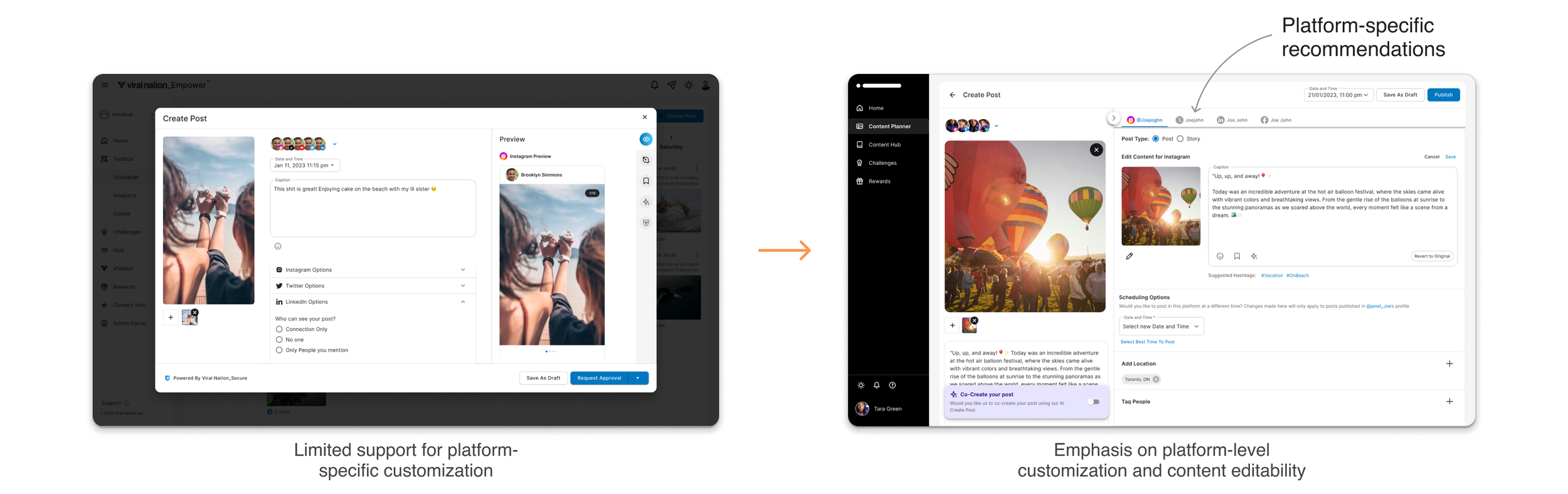
In the initial iterations, users had limited options to customize posts for each platform. The experience was enhanced by introducing platform-specific AI recommendations while still allowing users full control to fine-tune every detail. A flexible workspace layout was created with collapsible sections, enabling users to organize their view and control how much information is displayed at a time.
06. Design Mockups
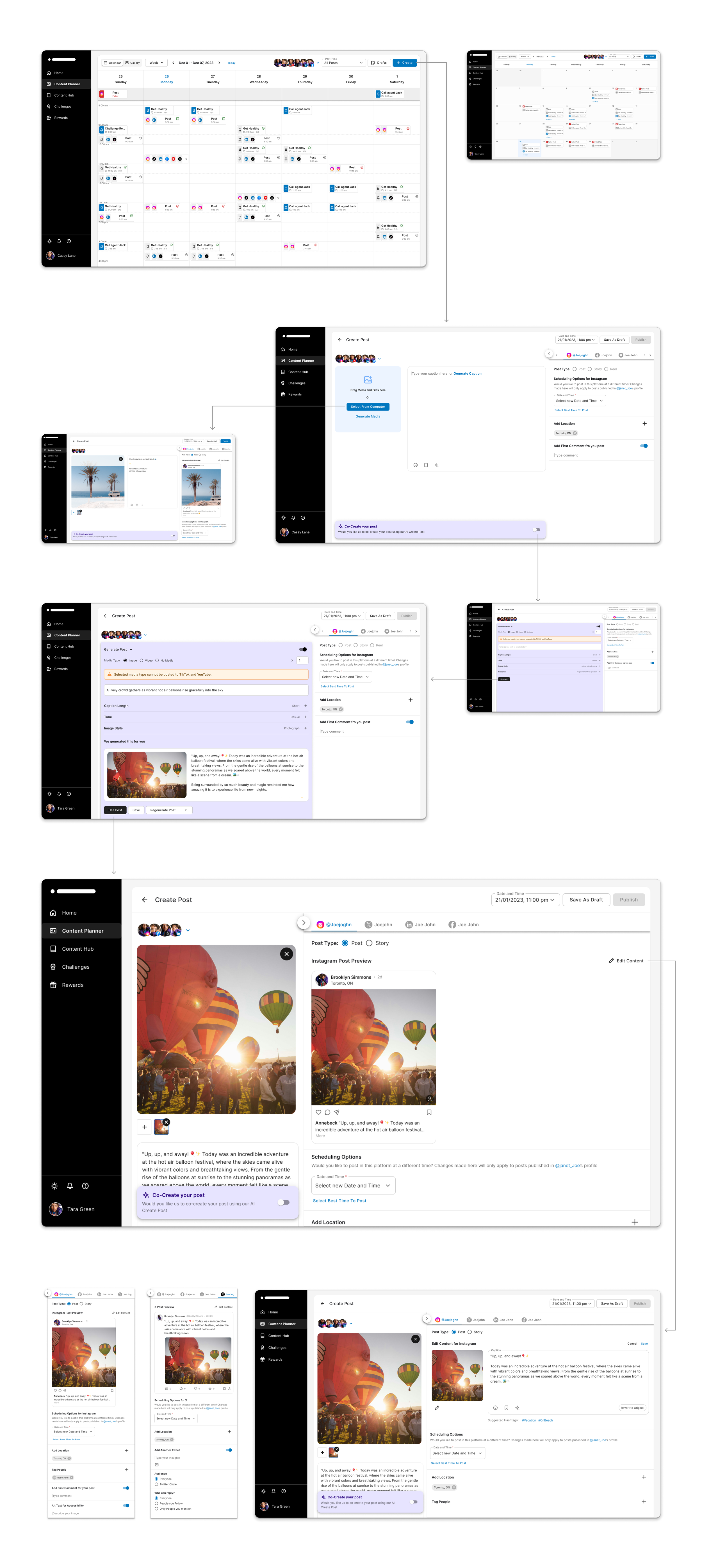
A comprehensive calendar viewHands-on post creationAI-Powered content generationPlatform-specific tailoringIn response to user needs, I designed a mobile app version of the tool, offering a quick and easy-to-navigate interface for content creators who need access to the tool's features while on the go.
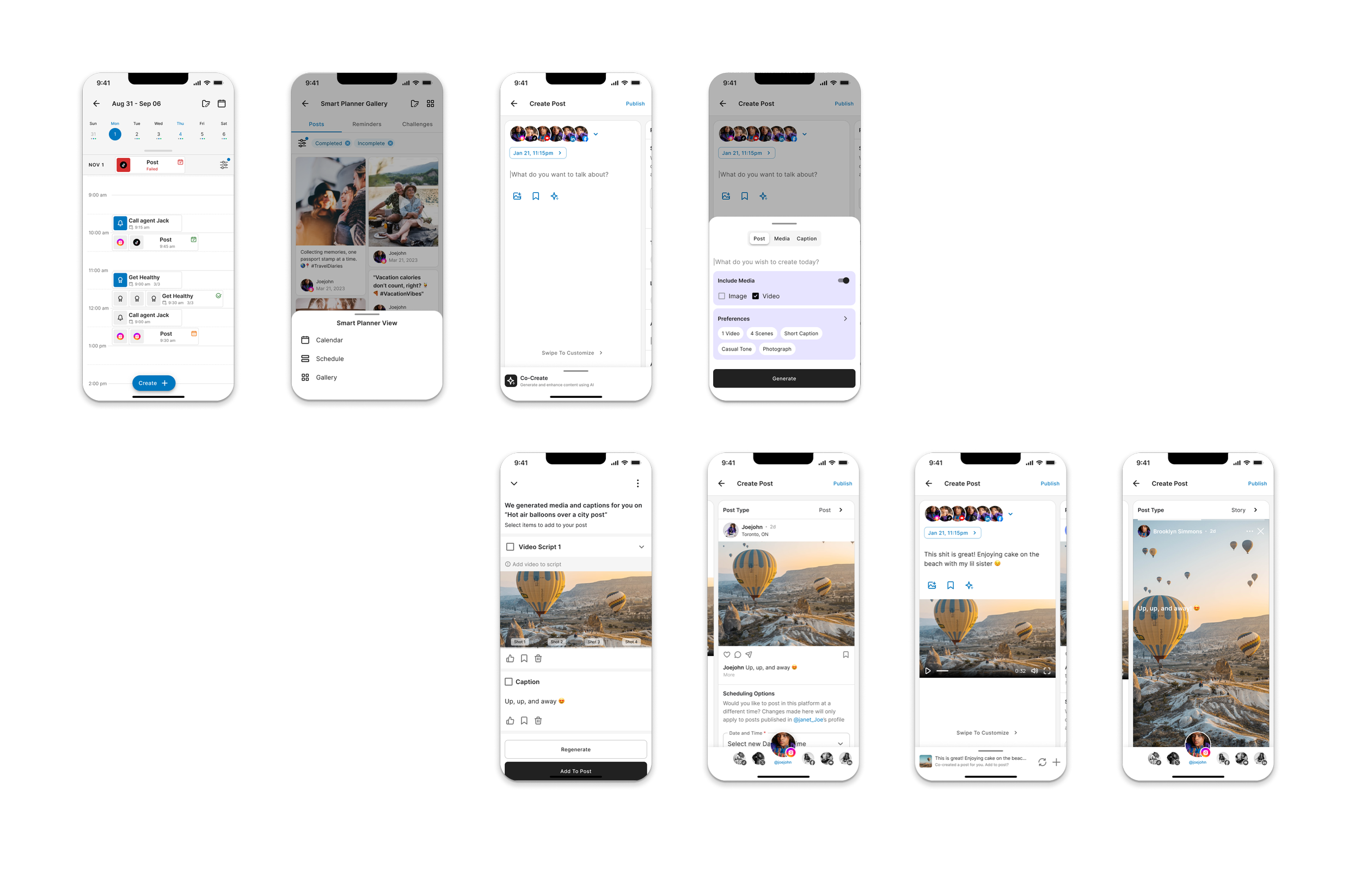
Maintaining core functionality and efficiencyOptimized the user experience for smaller screensKey Takeaways
UX considerations for balancing user control and autonomy in AI, while fostering effective human-AI collaboration
The importance of cross-team collaborations and being aware of AI’s strengths and weaknesses to avoid over-promising on features
Other Works
Staking Experience
Design System